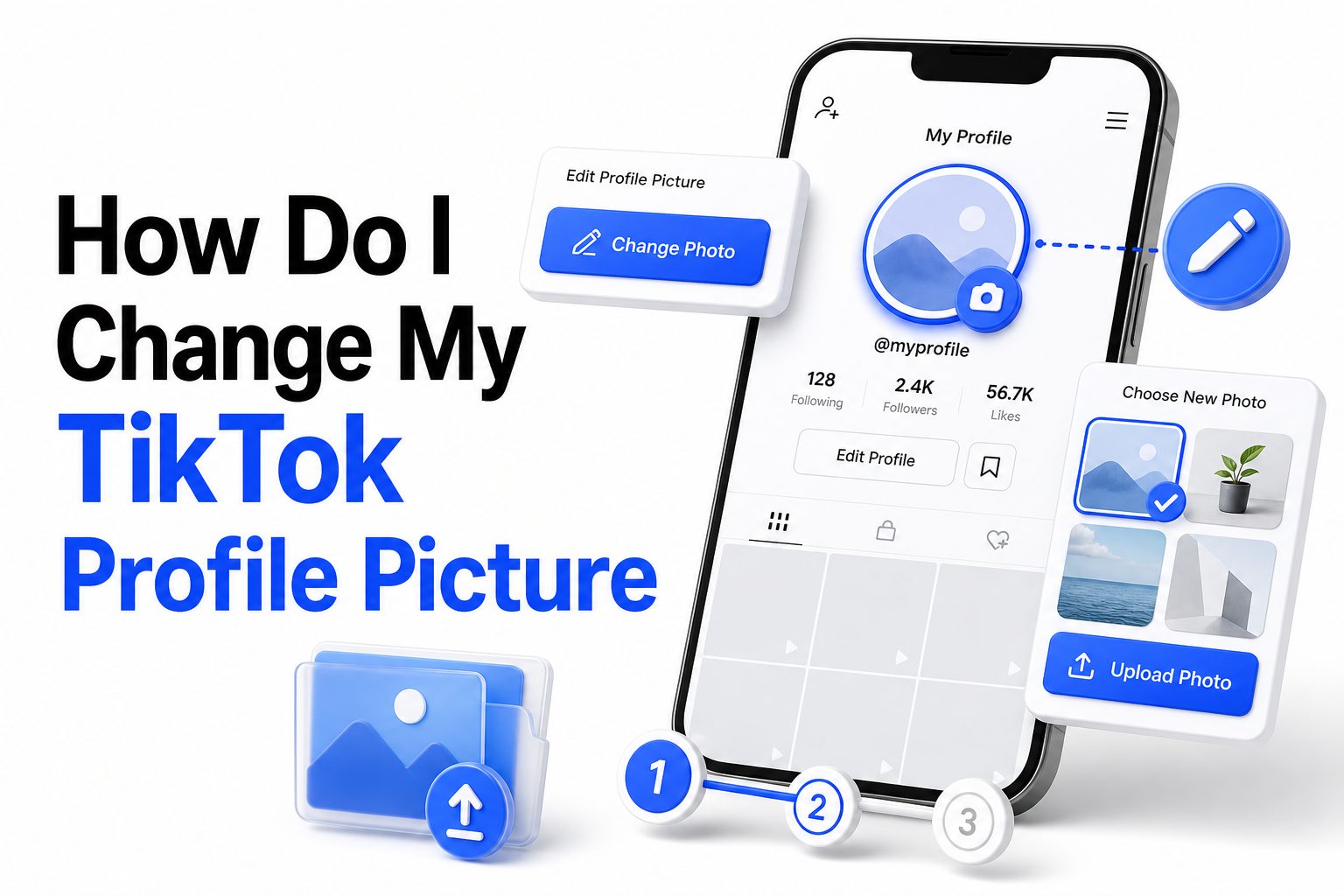
Your TikTok profile picture is often the first thing people notice before they watch your videos, read your bio, or decide to follow you. A clear, updated image can make your account look active, recognizable, and more trustworthy, whether you use TikTok for personal content, business, music, education, or entertainment.
If you have been asking, how do i change my tiktok profile picture, the process is simple once you know where to look. TikTok lets you upload a photo from your device, take a new picture, or use a profile video in some regions. This guide walks through the full process, explains common issues, and shares practical tips for choosing a profile image that looks good across the app.
Why Your TikTok Profile Picture Matters
Your profile picture appears beside comments, search results, direct messages, suggested accounts, and your profile page. Because TikTok moves quickly, people often make snap judgments based on small visual cues before they even open your account.
A strong profile image helps people recognize you when they see your videos more than once. For creators and brands, that recognition matters because it supports trust, recall, and consistency across TikTok and other social platforms.
What To Know Before Changing Your TikTok Photo
TikTok profile pictures are displayed in a circular frame, so images with important details near the edges may get cropped. Faces, logos, or key objects should sit near the center to avoid being cut off after uploading.
You should also make sure your image follows TikTok’s community rules. Avoid offensive graphics, copyrighted brand assets you do not own, misleading impersonation, or anything that could cause your profile update to be rejected.
Quick Profile Picture Checklist
Choose a clear image with good lighting.
Place the main subject in the center.
Avoid tiny text that becomes unreadable.
Use a photo that matches your account style.
Check the image after uploading.
Keep your profile picture consistent with your username and bio.
How To Change Your TikTok Profile Picture On Mobile
Open the TikTok app and make sure you are logged into the correct account. Tap Profile in the bottom-right corner, then tap Edit profile near the top of your profile page.
Tap Change photo, then choose whether to take a new picture or upload one from your gallery. After selecting the image, crop it inside the circular preview, save the change, and review how it looks on your public profile.
Changing Your Profile Picture On iPhone
The steps on iPhone are nearly identical to Android, but TikTok may ask for permission to access your photos. If you have limited access enabled, you may need to select the image manually from the permission screen.
Once TikTok can access the photo, choose your image, adjust the crop, and tap Save. If the upload does not appear right away, close and reopen the app before trying again.
Changing Your Profile Picture On Android
On Android, TikTok may request access to your photos, camera, or media files depending on your device version. Allow access if you want to upload directly from your gallery or take a new picture inside the app.
After choosing your image, move and resize it until the subject fits cleanly in the circle. Tap Save, then refresh your profile to confirm the new image appears correctly.
How To Change Your TikTok Profile Picture On Desktop
TikTok’s desktop features can vary by region and account type, but many users can edit basic profile information from a web browser. Go to TikTok.com, log in, open your profile, and look for the Edit profile option.
If profile picture editing is available, click your current image and upload a new file from your computer. If the option does not appear, use the mobile app instead because TikTok usually provides more complete profile editing tools there.
Mobile App Versus Desktop Editing
Mobile app: Best for quick profile changes, camera uploads, and gallery access.
Desktop browser: Useful when your best image is saved on your computer.
Mobile app: Usually offers the most reliable editing options.
Desktop browser: May have fewer profile customization features.
Mobile app: Easier for cropping directly from your phone.
Desktop browser: Better for brand assets created in design software.
Choosing The Best TikTok Profile Picture
A good TikTok profile picture should be recognizable even at a small size. Close-up portraits, clean logos, bold symbols, and simple branded graphics usually perform better than crowded images with too many details.
Think about what viewers expect from your content. A fitness creator may use a confident portrait, while a small business may use a simple logo or product image. The image should support the reason people visit your profile.
Profile Picture Ideas For Personal Accounts
For personal accounts, a clear face photo usually works best. Use natural light, avoid heavy filters, and choose an expression that matches your content style, whether that is friendly, funny, polished, casual, or creative.
If you prefer privacy, you can use an avatar, illustration, pet photo, or symbolic image. Just make sure it still feels intentional and is easy to recognize when people see your comments or videos.
Profile Picture Ideas For Business Accounts
For business accounts, use a clean logo, product image, founder photo, or branded graphic. Avoid placing long slogans inside the profile picture because small text becomes hard to read in TikTok’s circular display.
If your business is personality-led, a founder or team member photo may feel more approachable than a logo. If the brand is already recognizable, a simple logo on a contrasting background can work well.
Image Tips For A Better Profile Photo
Use a square image before uploading.
Keep the subject centered.
Avoid busy backgrounds.
Use contrast so the image stands out.
Do not rely on small text.
Match the style of your TikTok videos.
Test the image on your profile and comment section.
Common Problems When Changing A TikTok Profile Picture
Sometimes TikTok does not update a profile picture immediately. This can happen because of app caching, weak internet, outdated app versions, temporary server issues, or a file that does not upload properly.
If your new image does not appear, wait a few minutes, refresh the profile, and check from another device if possible. Most delays are temporary, but repeated failures usually mean something needs to be fixed on your device or account.
Why TikTok Will Not Let You Change Your Picture
TikTok may block or delay profile changes if your account has restrictions, your image violates rules, or the app is experiencing a temporary issue. In some cases, suspicious account activity can also limit editing features.
Try using a different image first. If that works, the original file may have been rejected. If nothing works, update TikTok, restart your device, and check whether your account has any notices or warnings.
What To Do If The New Photo Looks Blurry
Blurry profile pictures often come from uploading a low-resolution image or heavily compressed screenshot. Use the original photo whenever possible instead of saving from another app, messaging platform, or social media preview.
Start with a high-quality square image and avoid zooming in too much during cropping. If your profile photo includes a logo, export it at a large size with clean edges before uploading.
Troubleshooting Checklist
Update the TikTok app.
Check your internet connection.
Restart your phone.
Try a different image file.
Clear the TikTok cache.
Log out and back in.
Check TikTok account notices.
Use the mobile app if desktop editing fails.
Can You Use A Video As Your TikTok Profile Picture
TikTok has offered profile videos for some users, allowing a short moving clip instead of a standard photo. Availability can change depending on region, app version, and account settings, so not every account will see this option.
If available, go to Edit profile and look for Change video or a similar option. Choose a short clip that represents your account clearly, because fast or cluttered footage may be hard to read in a small profile space.
Photo Versus Profile Video
A photo is usually better for recognition because it stays consistent across comments, search, and profile visits. It is easier to brand, easier to remember, and less distracting for viewers scanning through accounts.
A profile video can feel more expressive, especially for performers, dancers, artists, or entertainment accounts. Still, it should be simple, well-lit, and focused on one subject so it does not look messy in small previews.
How Often Should You Change Your TikTok Profile Picture
You can change your TikTok profile picture whenever needed, but changing it too often may make your account harder to recognize. Followers may associate your profile image with your videos, comments, and messages.
For personal accounts, update it when your style changes or the old photo feels outdated. For brands, update it only when there is a new logo, campaign, seasonal reason, or clear improvement to your visual identity.
Best Times To Update Your Profile Image
Change your profile picture before launching a new content series, product, event, or campaign. This gives visitors a stronger first impression when they land on your profile from a fresh video or promotion.
Avoid changing it during a viral moment unless the new image is clearly better. When a video gains traction, consistency helps viewers connect the profile picture they saw in comments or shares with your account page.
Profile Photo Update Comparison
Personal creator: Update when your look, niche, or content style changes.
Business account: Update when branding, logo, or campaign visuals change.
Music or performance account: Update around releases, shows, or new creative themes.
Educational account: Update when your image can improve trust and clarity.
Private account: Update whenever the current image no longer feels accurate.
How To Make Your TikTok Profile Look More Professional
Your profile picture works best when it matches your username, display name, bio, and pinned videos. A polished profile is not about looking corporate; it is about making your account easy to understand at a glance.
After changing your profile picture, review the rest of your profile. If your image feels serious but your bio feels random, or your logo does not match your video style, visitors may feel less confident following you.
Match Your Profile Picture With Your Bio
Your bio should explain who you are or what viewers can expect from your content. If your profile picture shows your face, your bio can add context about your niche, profession, humor style, or posting theme.
For brands, the bio should support the logo or product image. A short, specific line often works better than a vague slogan. You can also add an internal resource such as [Internal Link: TikTok Profile Optimization Tips] for deeper profile guidance.
Keep Your Visual Style Consistent
Consistency makes your account easier to remember. Use similar colors, tone, or imagery across your profile picture, video covers, and linked platforms so people can recognize you beyond a single TikTok video.
This matters more if TikTok supports your business, creator brand, or personal portfolio. A consistent profile image can also help users find you after seeing your content reposted or mentioned elsewhere.
Mistakes To Avoid When Updating Your TikTok Photo
One common mistake is using an image that looks fine full-size but fails in a small circle. Detailed group photos, distant shots, screenshots, and images with large borders usually lose impact after upload.
Another mistake is copying another creator’s style too closely. Inspiration is fine, but your profile picture should represent your account. If it looks generic or misleading, it may attract the wrong audience or reduce trust.
Avoid Cropping Important Details
TikTok’s circular frame can remove corners and edges, so avoid placing logos, faces, or text too close to the border. Always check the final preview before saving your update.
If the image looks slightly off, edit it outside TikTok first. Add extra background space around the subject, then upload again so the main element sits comfortably inside the circle.
Avoid Overedited Images
Filters, beauty effects, extreme sharpening, and heavy contrast can make a profile picture look artificial or unclear. Since the image appears small, overediting often creates harsh shadows or strange colors.
Clean editing works better. Improve brightness, crop carefully, and use natural contrast. For business graphics, keep the design simple and make sure the logo or product remains readable without extra decoration.
Quick Mistakes List
Using a blurry screenshot.
Choosing a crowded group photo.
Putting text near the edge.
Uploading a low-resolution logo.
Changing the image too often.
Using colors that blend into TikTok’s interface.
Picking a photo that does not match your content.
Privacy And Safety Tips For Profile Pictures
Your TikTok profile picture is public in many contexts, even when parts of your account are private. Anyone who sees your comments, messages, or profile preview may also see your image.
If privacy matters, avoid using photos that reveal your home, school, workplace, vehicle details, children, or private location clues. A simple avatar or cropped portrait can reduce personal exposure while still making the account feel real.
Profile Pictures For Younger Users
Younger users should be careful with identifiable images, especially if their account is public. A face photo is not required to enjoy TikTok, and many people use drawings, initials, hobbies, or objects instead.
Parents and guardians may want to review the profile image together. The goal is not to remove personality, but to avoid sharing unnecessary personal details with strangers on a fast-moving public platform.
Profile Pictures For Public Creators
Public creators often benefit from using a real photo because it builds recognition and connection. Still, the image should be chosen with care, especially if the account receives high visibility or brand attention.
Use a photo that feels professional enough to represent you outside TikTok. If your account connects to business inquiries, press, collaborations, or [Internal Link: Social Media Branding Guide], your profile picture should support that wider presence.
How To Change Your Profile Picture Back
If you regret changing your profile picture, you can switch it back by following the same steps. Open TikTok, go to Profile, tap Edit profile, choose Change photo, and upload the previous image again.
TikTok does not always provide a built-in history of old profile pictures, so keep a copy of your best images on your device or cloud storage. This is especially useful for brands and creators who rely on consistent recognition.
Saving Your Best Profile Images
Create a small folder for approved profile images, logos, and social media graphics. Keeping these files organized saves time when you update TikTok, Instagram, YouTube, or other platforms.
Name files clearly so you know which version is current. For example, a business might save “brand-logo-profile-2026” or “founder-headshot-square” to avoid uploading the wrong image later.
Testing Your Profile After The Change
After updating your profile picture, view your account as a visitor would. Look at your profile page, comments on a recent video, search result previews, and direct message display if relevant.
Ask whether the image is clear, recognizable, and aligned with your content. If it looks cramped, blurry, or confusing, adjust the crop or choose a stronger photo before more people see it.
Best Practices Summary
Use a clear square image.
Center the face, logo, or subject.
Check the circular crop before saving.
Keep your image consistent with your niche.
Update only when there is a good reason.
Protect private details in the background.
Review your whole profile after changing the image.
Conclusion
Changing your TikTok profile picture is a small update, but it can have a real effect on how people read your account. A sharp, relevant image helps viewers recognize you, trust your profile, and connect your content with a clear identity.
The process is simple: open your profile, tap Edit profile, choose a new photo, crop it carefully, and save. The bigger decision is choosing an image that fits your content, audience, and privacy needs. Whether you use a face photo, logo, avatar, or product image, it should look good in a small circular frame and match the rest of your profile.
If you came here wondering how do i change my tiktok profile picture, you now have the steps, fixes, and profile tips needed to update it with confidence.
FAQ
Why is my TikTok profile picture not changing?
Your image may not update because of app cache, weak internet, an outdated TikTok version, or a rejected file. Refresh the app, update TikTok, try another image, and check again after a few minutes.
Can I change my TikTok profile picture without posting?
Yes, changing your profile picture does not create a public video post. People may notice the new image when they visit your profile, see your comments, or receive messages from your account.
What size should a TikTok profile picture be?
A square image works best because TikTok crops profile pictures into a circle. Use a clear, high-resolution file with the main subject centered so it stays visible after cropping.
Can I remove my TikTok profile picture?
TikTok may not always offer a direct remove option. You can replace the current image with a blank graphic, avatar, initials, or another neutral image if you do not want to show a personal photo.
How many times can I change my TikTok profile picture?
TikTok generally lets users change profile pictures more than once, but frequent changes can confuse followers. It is better to update your image only when it improves your profile or reflects a real change.
0 Comments